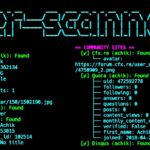
UserRecon is a simple command-line tool that searches for a username across different social networks. It can check many websites and show where the same username may be found. It is a useful tool for checking username availability across different platforms and finding matching profiles on supported websites.
What You Can Do with UserRecon?
- Search for a username across 75+ social networks.
- Check if the same username is used on different websites.
- Quickly search multiple platforms from the terminal.
- Perform basic username reconnaissance.
- Find possible social media profiles linked to a username.
- Use the tool with simple terminal commands.
- Use it for learning about username searches and online research.
UserRecon Installation Commands
You can install UserRecon from its GitHub repository using a few simple commands. Open your terminal and copy and paste the following commands one by one.
First, update the Termux packages.
apt update && apt upgrade -y
Install Git.
apt install git -y
Clone the UserRecon repository.
git clone https://github.com/wishihab/userrecon.git
Go to the UserRecon directory.
cd userrecon
Give the script permission to run.
chmod +x userrecon.sh
UserRecon is now installed, set up, and ready to use.
UserRecon Usage Commands
Once UserRecon is installed, you can run it from the terminal with a simple command, then enter a username when prompted to start the search.
Run UserRecon with:
./userrecon.sh
The tool will ask you to enter a username.
[?] Input username:
Enter the username you want to check and press Enter. UserRecon will then check the username across the websites supported by the script and display the results.
You can also run the script using Bash:
bash userrecon.sh
If you want to run it again later, go to the UserRecon directory first:
cd ~/userrecon
Then run:
./userrecon.sh
Note: Some results may be incorrect, so always verify the information manually even after UserRecon finds a profile.
Overview
UserRecon is a simple terminal tool for checking usernames across different social networks. It can be useful for learning about username searches and basic online research. It provides a quick way to check a username on multiple platforms from the terminal.