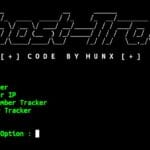
PhoneInfoga is a phone number reconnaissance tool designed for OSINT and information gathering tasks. It helps collect publicly available details related to phone numbers from different sources. You can easily install and use PhoneInfoga in Termux without root access.
Install PhoneInfoga in Termux
Below are the latest and working commands to install PhoneInfoga in Termux.
Update Termux packages.
pkg update && pkg upgrade -y
Install Git and Python.
pkg install git python -y
Clone the PhoneInfoga repository.
git clone https://github.com/ExpertAnonymous/PhoneInfoga.git
Move into the PhoneInfoga directory.
cd PhoneInfoga
Run the installation script.
bash phoneinfoga.sh
Move back into the PhoneInfoga directory.
cd && cd PhoneInfoga
Install the required Python packages.
pip install -r requirements.txt
Install a compatible urllib3 version.
pip uninstall urllib3 && pip install "urllib3<2"
After completing the installation, PhoneInfoga will be ready to use inside the Termux terminal.
Use PhoneInfoga in Termux
Start PhoneInfoga.
python phoneinfoga.pyDisplay the help menu.
python phoneinfoga.py -h
Scan a phone number.
python phoneinfoga.py -n +1234567890
Replace +1234567890 with the phone number you want to scan.
Scan multiple phone numbers from a file.
python phoneinfoga.py -i numbers.txt
Save scan results into a file.
python phoneinfoga.py -n +1234567890 -o result.txt
Use a specific scanner.
python phoneinfoga.py -n +1234567890 -s scanner-name
Launch custom format reconnaissance.
python phoneinfoga.py --recon
Disable colored output.
python phoneinfoga.py --no-ansi
Show the installed PhoneInfoga version.
python phoneinfoga.py -v
PhoneInfoga Termux Overview
PhoneInfoga is one of the popular tools used for phone number OSINT and reconnaissance. By installing it in Termux, you can explore different phone number analysis features and practice information gathering techniques directly from your Android device.