TBomb is a working call and SMS bombing tool that you can use in Termux. It uses public APIs to quickly send multiple calls and messages to any phone number. You can install and use TBomb in Termux with some simple commands. Use it only on your own phone number for testing and learning.
How to Install TBomb in Termux
Below are the simple commands to install TBomb in Termux. Open Termux and run the commands one by one.
Update Termux packages first:
pkg update -y && pkg upgrade -y
Install Git and Python:
pkg install git python -y
Clone TBomb repository from GitHub:
git clone https://github.com/TheSpeedX/TBomb.git
Navigate into TBomb directory:
cd TBomb
Install required Python packages:
pip3 install -r requirements.txt
Give execution permission to the script:
chmod +x TBomb.sh
Launch TBomb tool:
./TBomb.sh
You can also run TBomb directly using:
python3 bomber.py
How to Use TBomb
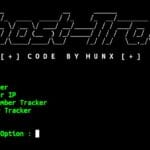
Once you start TBomb in Termux, you will see these options on your screen:
Press 1 To Start SMS Bomber
Press 2 To Start CALL Bomber
Press 3 To Start MAIL Bomber (Not Yet Available)
Press 4 To Update (Works On Linux And Linux Emulators)
Press 5 To Exit
- Type 1 and press Enter to start sending SMS messages.
- Type 2 and press Enter to start making calls.
- Type 3 is not working yet. Do not use it.
- Type 4 to update the tool to the latest version. This works on Linux only.
- Type 5 to exit the tool.
Type your chosen option and press Enter. After choosing SMS or CALL bomber, you will see these prompts:
Type your country code without the plus sign, for India, type 91, for USA, type 1 then press Enter.
[+] Enter your country code (Without +): 91
Now enter the phone number which you want to bomb:
[+] Enter the target number: +91 9876543210
Type how many messages or calls you want to send (Maximum is 500) then press Enter.
[+] Enter number of SMS to send (Max 500): 500
Set the waiting time between each message, 1 means one second gap. Higher delay means slower sending but better success rate, then press Enter.
[+] Enter delay time (in seconds): 1
Set how many messages to send at the same time, 50 means 50 messages sent in parallel. Higher threads send faster but may fail more often.
[+] Enter Number of Thread (Recommended: 50):
After entering all details, the tool will start sending messages or calls to the target number. Press Ctrl + C to stop the bombing attack at any time.
TBomb Overview
TBomb is simple but powerful. It sends many calls and messages to any phone number. You can easily install and use TBomb in Termux to test or prank someone but use this tool responsibly as it may harm someone and it is unlawful to use without permission.