DarkFly is a collection of cybersecurity and ethical hacking tools that provides many security utilities in one place. You can install DarkFly in Termux and use it to learn penetration testing, reconnaissance, and other cybersecurity tasks using simple commands. Features of darkfly tool in Termux:
- Access multiple cybersecurity tools
- Launch penetration testing utilities
- Perform reconnaissance tasks
- Explore OSINT tools
- Learn ethical hacking tools
- Practice Linux commands on Android
How to Install DarkFly Tool in Termux
Install DarkFly in Termux by running the following commands one by one. These commands will download and set up the DarkFly tool in your Termux terminal.
Update Termux packages.
pkg update && pkg upgrade -y
Install Git.
pkg install python python2 git -y
Clone the DarkFly repository.
git clone https://github.com/Ranginang67/DarkFly-Tool
Move into the DarkFly directory.
cd DarkFly-Tool
Make the installation script executable.
chmod +x install.py
Start the installer.
python2 install.py
After the installation is complete, DarkFly will be ready to use.
How to Use DarkFly in Termux
Launch DarkFly.
DarkFly
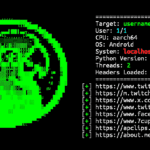
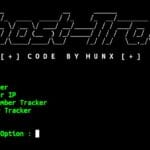
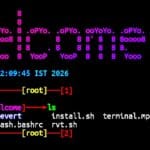
After launching the tool, the DarkFly menu will appear inside the Termux terminal. From there, you can browse different categories and select the tool you want to use. DarkFly automatically downloads or starts the selected tool based on your choice.
Whenever you want to use DarkFly again, simply run:
DarkFly
Then choose the option you want and DarkFly will automatically open or install the selected cybersecurity tool inside the Termux terminal.
Darkfly in Termux Overview
DarkFly includes hundreds of Linux and cybersecurity tools that can be installed with a single command. Simply enter the tool number from the menu, and DarkFly will automatically download and set up the selected tool in your Termux terminal.