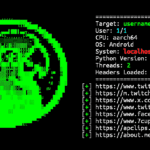
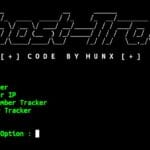
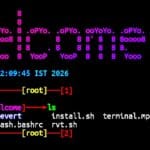
Jarvis Welcome is a simple Termux customization tool that adds a voice greeting whenever you open the Termux application. It automatically plays a welcome message saying “Terminal has been started Sir” and also customizes the startup screen to make the terminal look more attractive. You can install Jarvis Welcome in Termux using a few simple commands.
Installation Commands
Follow the commands below to install Jarvis Welcome in Termux. Copy and paste each command in the same order to complete the installation successfully.
Update Termux packages.
pkg update && pkg upgrade -y
Install the required packages.
pkg install git mpv ffmpeg -y
Clone the Jarvis Welcome repository.
git clone https://github.com/AmshenShanu07/jarvis-welcome.git
Open the project directory.
cd jarvis-welcome
Give execute permission to the project files.
chmod +x *
Run the installation script.
sh install.sh
After the installation is complete, close and open the Termux application again. You will hear the voice greeting “Terminal has been started Sir” every time Termux starts.
Usage Guide
Jarvis Welcome runs automatically whenever you open the Termux application, so no additional commands are required after installation.
Open the project directory again.
cd ~/jarvis-welcome
Run the installation script again if you want to reinstall the customization.
sh install.sh
Restore the default Termux startup screen.
sh rvt.sh
This removes the Jarvis Welcome customization and restores the default Termux startup configuration.
Overview
Jarvis Welcome is a simple Termux customization tool that makes your terminal more interactive by playing a voice greeting whenever it starts.