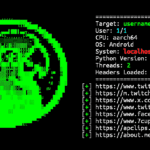
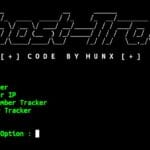
WebSift is an information gathering and web scraping tool that helps collect publicly available data from websites. It can extract email addresses, phone numbers, social media links, URLs, and other information from web pages. You can install and use WebSift in Termux to perform basic OSINT and reconnaissance tasks using simple commands. Here’s what you can do with WebSift in Termux:
- Extract email addresses from websites.
- Find phone numbers on web pages.
- Collect social media links.
- Gather URLs and web page data.
- Perform basic OSINT tasks.
- Analyze publicly available website information.
Install WebSift in Termux
You can install WebSift in Termux using the commands below. Run each command one by one to complete the installation process.
Update Termux packages.
pkg update && pkg upgrade -y
Install the required packages.
pkg install git curl wget -y
Clone the WebSift repository.
git clone https://github.com/s-r-e-e-r-a-j/WebSift
Move into the WebSift directory.
cd WebSift && WebSiftGive the executable permission.
chmod +x websift.shWebSift is now installed and ready to use.
Extract Website Informations
WebSift can scan a website and collect different types of publicly available information such as email addresses, phone numbers, social media profiles, and website links. You only need to enter the target website URL and select the information you want to extract. Follow the steps below to start scanning a website using WebSift in Termux.
Start WebSift.
bash websift.sh
Enter the target website URL.
[*] Enter URL to begin :Choose whether to extract email addresses.
[*] Scrape emails from website? (y/n) : Choose whether to extract phone numbers.
[*] Scrape phone numbers from website? (y/n) :Choose whether to extract social media links and other URLs.
[*] Scrape social media links and other links from website? (y/n) :WebSift will then start scanning the target website and show you the results.
[!] Scraping started