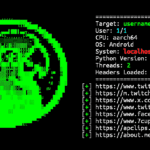
UserFinder is a simple tool that searches for usernames on different websites and social media platforms. You can install UserFinder in Termux to find publicly available profile links and perform basic username searches with a few simple commands. It can help you discover where a username is being used across multiple online platforms.
Install UserFinder in Termux
Use the commands below to install UserFinder in Termux. After the installation is complete, the tool will be ready to search usernames.
Update Termux packages.
pkg update && pkg upgrade -y
Install the required packages.
pkg install git curl jq -y
Clone the UserFinder repository.
git clone https://github.com/mishakorzik/UserFinder
Move into the UserFinder directory.
cd UserFinder
UserFinder is now installed and ready to use.
Use UserFinder in Termux
Start UserFinder using the following commands.
bash UserFinder.sh
After running the tool, it will ask you to enter a username.
Enter Username:Type the username you want to search and press Enter.
John
UserFinder will automatically search for that username across multiple supported websites and social media platforms. It will then display the matching profile URLs directly inside the terminal.
You can search for any publicly available username by running the tool again.
cd UserFinder
bash UserFinder.sh
Choose the username you want to investigate and UserFinder will automatically search for matching profiles and display the results.