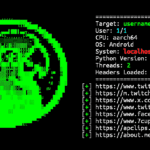
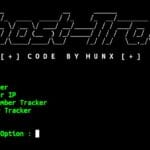
Sherlock is a simple OSINT tool that helps search for usernames across multiple websites and online platforms. It automatically checks different services and displays profiles that match the specified username. You can install Sherlock in Termux to perform username reconnaissance and find publicly available profile information.
Install Sherlock in Termux
Use the commands below to install Sherlock in Termux. After completing the installation, you will be able to search usernames across multiple websites.
Update Termux packages.
pkg update && pkg upgrade -y
Install Git and Golang.
pkg install git golang -y
Clone the Sherlock repository.
git clone https://github.com/mesuutt/sherlock.git
Move into the Sherlock directory.
cd sherlock
Initialize the Go module.
go mod init sherlock
Install the required dependencies.
go get github.com/fatih/color
go get github.com/spf13/cobra
Build Sherlock.
go build
Run Sherlock.
./sherlock
Sherlock is now installed and ready to use in Termux.
Use Sherlock in Termux
Search for a username across supported websites.
./sherlock username
Replace username with the actual username you want to search.
Search multiple usernames at the same time.
./sherlock user1 user2 user3
Save results to a file.
./sherlock username > result.txt
Display the help menu.
./sherlock -h
View available options and commands.
./sherlock --help
Sherlock will automatically check supported websites and display matching profile URLs for the specified username. The tool is commonly used for OSINT investigations and username reconnaissance across hundreds of platforms.